Penalty Ace
Score with a budget of 15 kicks while later levels add extra keepers.

About Penalty Ace
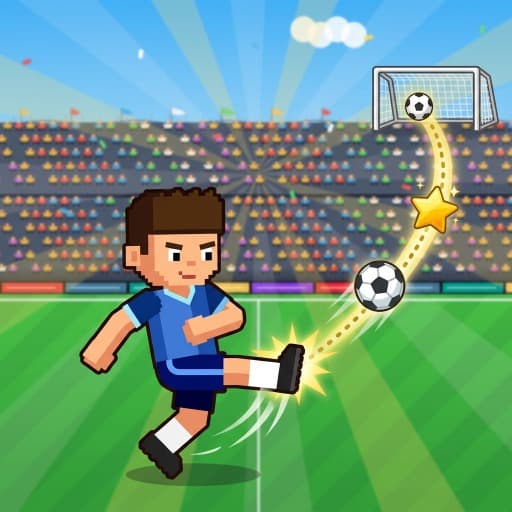
Penalty Ace is a landscape kick contest — drag to set height and angle, release to shoot, and beat the keeper.
You have 15 kicks in the set. Later levels add extra goalies, which means more bodies to read, not only a faster dive.
Aim at gaps, not at the nearest chest. A saved shot should not be repeated identically.
Penalty Ace is a keeper-beating kick contest. You set height and angle, then take 15 shots while the goalie gets harder and extra keepers show up on later levels.
It is a timing-and-placement game, not a full soccer match. Drag to aim the shot; release to kick.
What you do in Penalty Ace
Objective. Score with a budget of 15 kicks while later levels add extra keepers.
Drag to set height and angle, release to kick. Read the dive and put the ball where the keeper is not.
Not a 90-minute match. Extra goalies make the target smaller. Drag works with mouse or finger.
How to play Penalty Ace
Drag with mouse or finger to set the shot’s height and angle. Release to kick. Watch the keeper’s dive tell — they commit, and your job is to put the ball where they are not.
You have 15 chances in the set. Later levels add more goalies, which means more bodies to read, not just a faster dive.
Do not reuse the exact same shot if it was saved. Mix low corners and chips.
Controls
Swipe or drag with the left mouse button (or finger) to set shot angle and power, then release to kick. Beat the keeper across 15 penalties and chase your best score.
Left-button drag, release to shoot.
On a phone or tablet: Swipe to aim, release to kick. Landscape.
What makes Penalty Ace different
- Fifteen-kick budget, not a match clock
- Later levels add bodies, not just a faster dive
- Repeating a saved shot into the same chest wastes the budget
Tips
- Aim for posts and corners, not the keeper’s chest. Center-net shots are batting practice for the AI.
- If a keeper dives early, a short chip can work. If they wait, a hard low corner is safer.
- On extra-goalie levels, pick a gap between them rather than trying to nutmeg the nearest one.
- Take a breath between shots. The 15-kick budget rewards consistency more than one highlight.
Strategy
- Read the dive, then put the ball where the keeper is not. Repeating a saved shot into the chest wastes the budget.
- Later levels add bodies, not just a faster dive. Aim at the new gap.
- Fifteen kicks is the whole match. There is no extra time.
Difficulty and devices
Difficulty. Easy–Medium
Best suited device. Landscape tablet or desktop
Mobile. Swipe to aim, release to kick. Landscape.
Desktop. Left-button drag, release to shoot.
Who should play
Soccer fans who want a quick penalty minigame in the browser. Drag controls work on both mouse and touch.
Game details
- Title
- Penalty Ace
- Category
- Sports
- Tags
- Sports Game, Soccer Game, Arcade Game, Skill Game
- Objective
- Score with a budget of 15 kicks while later levels add extra keepers.
- Difficulty
- Easy–Medium
- Layout
- Landscape
- Best on
- Landscape tablet or desktop
- Phone
- Swipe to aim, release to kick. Landscape.
- Desktop
- Left-button drag, release to shoot.
- Hosted by
- Pokii Games
- Account
- Not required
- Download
- Not required
- Price
- Free
Pokii Games hosts this HTML5 build. We did not claim to author the sprites or engine — we package, test, and explain it.
FAQ
How do I shoot in Penalty Ace?
Swipe or drag to set angle and power, then release to kick. Beat the keeper. You get 15 shots to post a score.
Why are there extra goalies?
Later levels add more keepers to make the target smaller. Aim for the gaps.
Guides that mention this game
- How scoring actually works on Pokii sports games — Strike Bowling’s 300, Court Clash first-to-three, Penalty Ace’s 15 kicks, Goal Shot stars, and Ping Pong Ball lives — the real win conditions on this site.
- Galaxy Hole, Ping Pong Ball, and Goal Shot: reading a physics table — Three drag-to-shoot toys on Pokii Games: a space puck, a cup-pong slingshot, and soccer banks with portals. Power is the easy part. Reading the table is the game.
- Which Pokii Games belong on a phone (and which want a keyboard) — Portrait vs landscape, tap vs WASD: a practical split of the Pokii Games catalog so you stop fighting the layout on a commute.